Visual Studio Code Extension
To get started on using VS Code, head over to our guides.
In this page, you'll find other topics about VS Code support, such as code snippets or how to upgrade an existing app to use VS Code.
Explore other features
The Uno Platform extension provides additional features to help you develop your application.
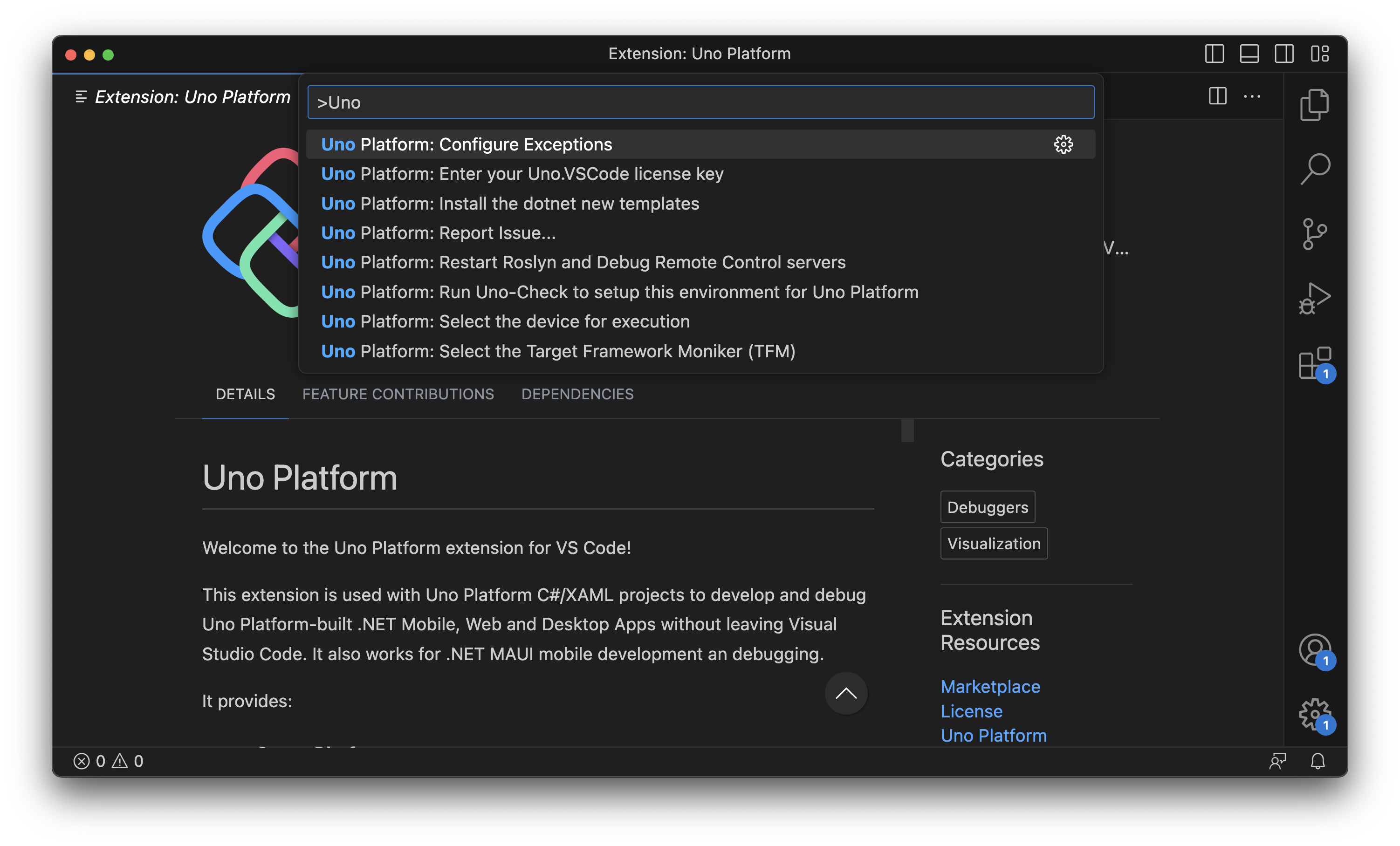
You can explore them by pressing F1 or Ctrl-Shift-P and typing Uno Platform to see the list of available commands.
Using code snippets
Adding a new Page
- In the MyApp folder, create a new file named
Page2.xaml - Type
pagethen press thetabkey to add the page markup - Adjust the name and namespaces as needed
- In the MyApp folder, create a new file named
Page2.xaml.cs - Type
pagethen press thetabkey to add the page code behind C# - Adjust the name and namespaces as needed
Adding a new UserControl
- In the MyApp folder, create a new file named
UserControl1.xaml - Type
usercontrolthen press thetabkey to add the page markup - Adjust the name and namespaces as needed
- In the MyApp folder, create a new file named
UserControl1.xaml.cs - Type
usercontrolthen press thetabkey to add the page code behind C# - Adjust the name and namespaces as needed
Adding a new ResourceDictionary
- In the MyApp folder, create a new file named
ResourceDictionary1.xaml - Type
resourcedictthen press thetabkey to add the page markup
Other snippets
rdcreates a newRowDefinitioncdcreates a newColumnDefinitiontagcreates a new XAML tagsetcreates a newStylesetterctagcreates a newTextBlockclose XAML tag
Updating an existing application to work with VS Code
An existing application needs additional changes to be debugged properly.
- At the root of the workspace, create a folder named
.vscode - Inside this folder, create a file named
launch.jsonand copy the contents of this file. - Replace all instances of
MyExtensionsApp._1with your application's name inlaunch.json. - Inside this folder, create a file named
tasks.jsonand copy the contents of this file.
Working with solution-less workspaces
A .sln/.slnx file is not required to work in VS Code. When you open a folder that contains a project but no solution file, the Uno Platform extension (0.25.3 or later, together with the C# Dev Kit extension) discovers the projects in the workspace and lets you pick the active one from the status bar, just as it does for solutions.
Note
Dev Server and Hot Reload tooling on solution-less workspaces requires the application to use Uno.Sdk 6.6 or later. Make sure the global.json file declaring the Uno.Sdk version is in the opened folder (or a parent directory). See Solution-less projects for building from the command line.
Advanced debugging
You can find advanced Code debugging topic here.