Module 2 - Creating basic UI layout with C# markup
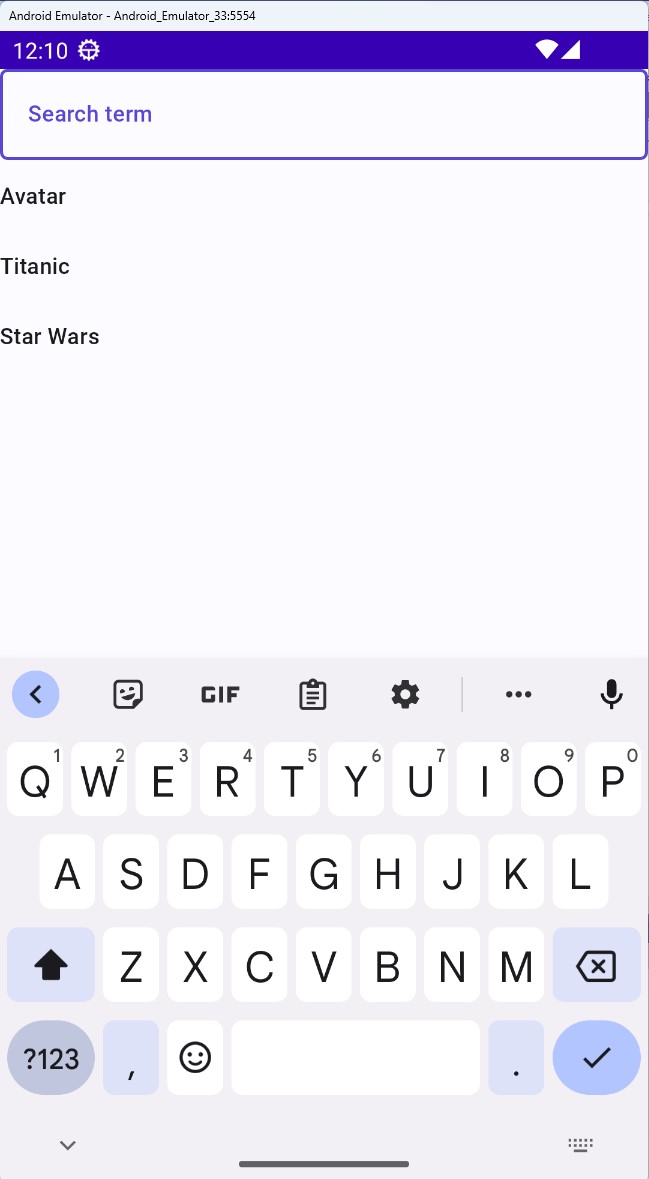
In this module, you will use C# markup to create a UI. This will comprise of a Grid containing a TextBox which will be used to search for YouTube videos, as well as a ListView which will display results. In this module you'll rather focus on creating the UI, you will create data services and populate these controls with data in the next module.
You will also learn in this module how to set up basic data-binding to a feed/state in the model.
Note
Unless we need to perform platform-specific tasks, all of the work will be done in the TubePlayer project, which is what's referenced by the various platform-specific projects and contains the shared functionality of the app. These are located under the Platforms folder in the solution.
This applies to UI, presentation-layer as well as service-layer functionality.
Create a UI
Open the file MainPage.cs, and replace its constructor content with the following:
this.NavigationCacheMode(NavigationCacheMode.Required)
    .Background(Theme.Brushes.Background.Default)
    .Content(
        new Grid()
        .SafeArea(SafeArea.InsetMask.All)
        .RowDefinitions("Auto, *")
        .Children(
            new TextBox()
                .PlaceholderText("Search term"),
            new ListView()
                .Grid(row: 1)
                .ItemsSource(new[] { "Avatar", "Titanic", "Star Wars" })
                .ItemTemplate<string>(videoTitle =>
                    new TextBlock()
                        .Text(() => videoTitle))));
The
ItemTemplateextension method takes a generic argument of the expected item type. In this example, we'll be using astring. In the upcoming modules, you'll incorporate service data in the app, and this data type (string) will change.
Clean up the model
For now, let's clean up the model, open the MainModel.cs file, and replace its contents with the following:
namespace TubePlayer.Presentation;

public partial record MainModel();
Run the app
Launch the app to see the UI rendered. Observe that there are currently no underlying data, just empty controls. In the following module, we will create data services from which the controls will be populated with data. The rendered app will look similar to the following: