Using the Uno Platform Template Wizard
Getting started
The Uno Platform Visual Studio extension, provides project templates for the open-source Uno Platform with which you can create single-source code, cross-platform solution and choose from the platforms to target: iOS, Android, WebAssembly, macOS, mac Catalyst, Windows and Linux.
After having installed the required workloads and the extension (use Uno-Check to verify that your environment is Uno Platform ready), search and click the Uno Platform App in your new project to open the wizard.
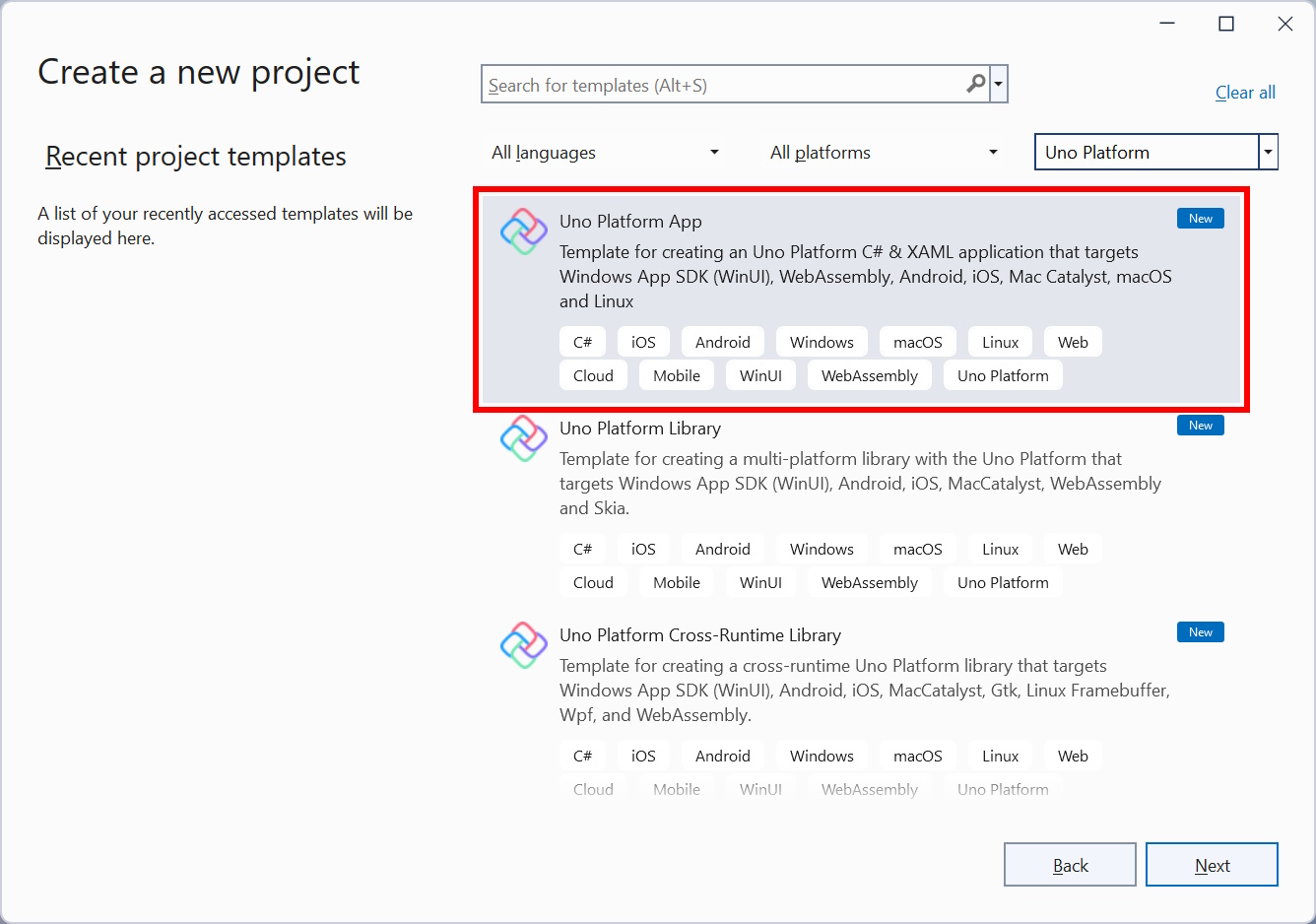
When prompted, configure the project and solution name and select the location to which the files should be saved, and click Create or hit Enter.
Selecting startup type
The main page of the wizard shows and the default template is selected.
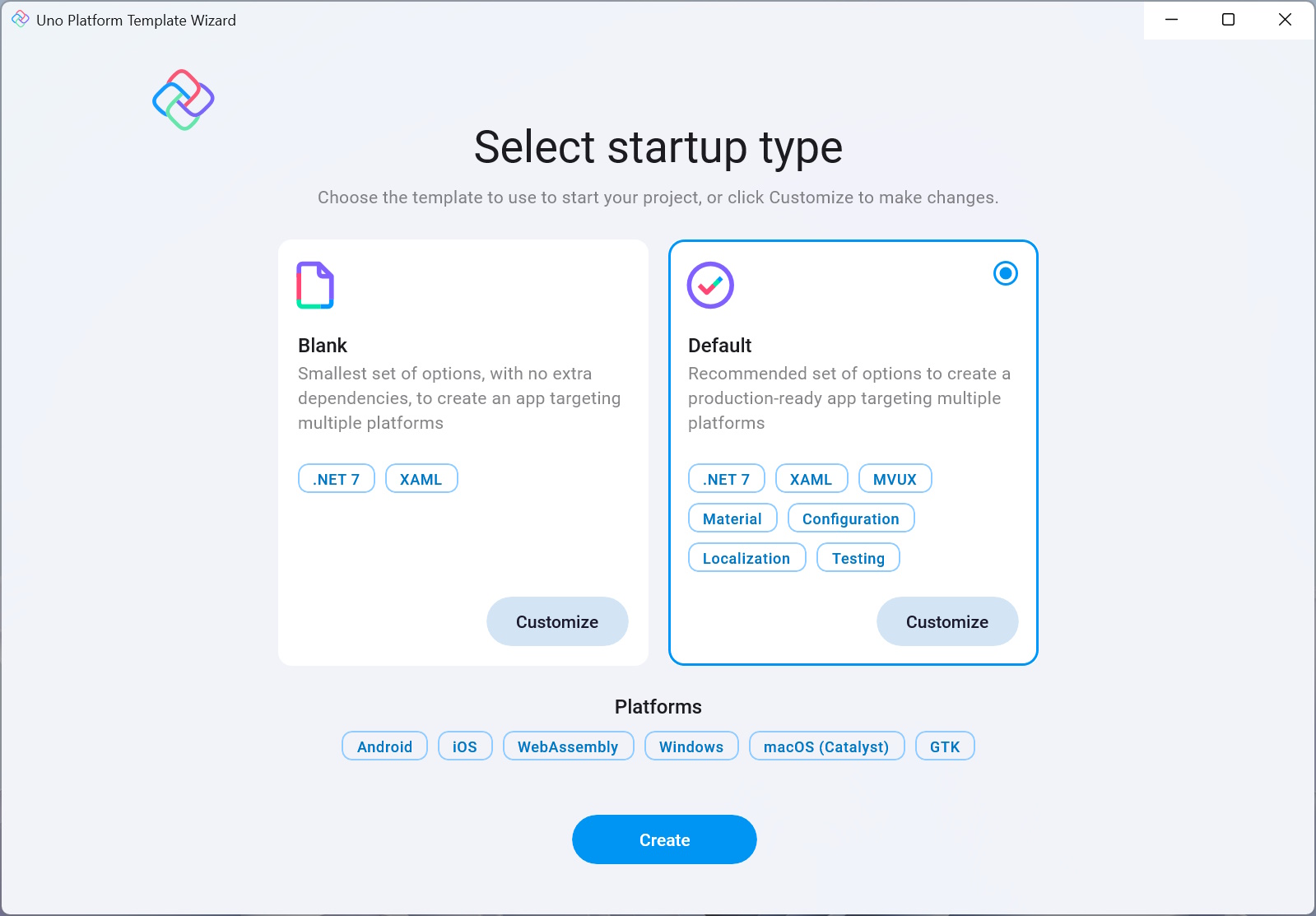
This is an introductory page to the wizard and lets you choose between the blank or default template, and also enables you to customize that selection even further if you click Customize.
Main options
Blank
The Blank template generates a minimal Uno Platform app that targets the following platforms:- Windows
- Android
- iOS
- macOS
- GTK
- WASM
Click "Create" or hit Enter to accept the selected choice and generate the project, or select the Default template.
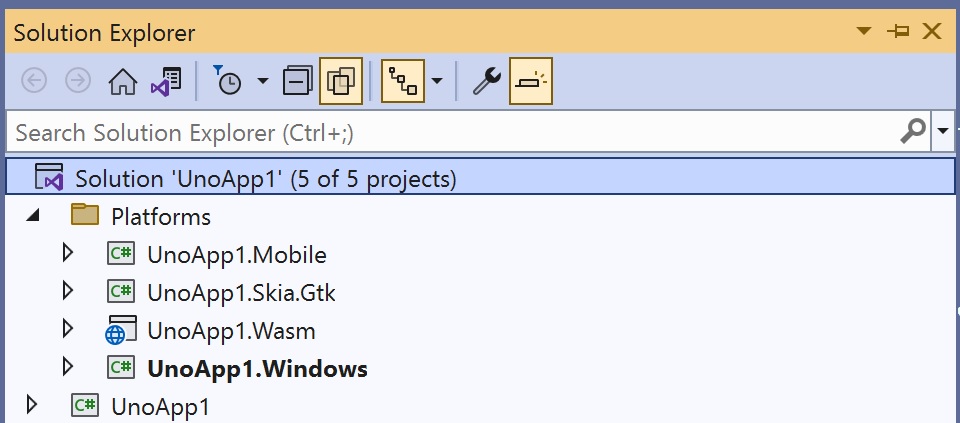
This is the structure of the generated blank project:
Default
The default Project also consists of the above platforms: Windows, Android, iOS, Mac Catalyst, GTK, and WebAssembly, however, this template is preselected with additional features and pre-installed packages to help save even more saving you from typing redundant boilerplate code. This includes an ASP.NET Core server app backend which you can use to write your server API endpoints and is also used to host the WASM app.
It also includes a project with Uno.UITest preinstalled. This package includes important UI testing features, which you can learn about here.In addition, it includes baked-in support provided by Uno.Extensions. Uno Extensions extends Microsoft.Extensions.* by making sure it runs smoothly on all platforms and adding additional features and utils.
This template is generated with Uno Platform's flagship products pre-installed, these include Extensions and Toolkit. The topics are briefly explained in this list but are further explained in depth further down on this page. Feel free to click the titles to scroll down to that topic.
Configuration
This extension provides a way to load application configuration data from and to various sources using the Options Pattern. Refer to the Uno Configuration documentation for more information.App Hosting
Hosting keeps the central entry point of the app and encapsulates its core building blocks, such as DI, Logging, as well as controlling its state and shutdown.Dependency Injection
Dependency Injection (DI) is an Inversion of Control (IoC) technique that ensures consuming classes' dependencies without them worrying about creating them. Learn more about DI here.Logging
Logging is a crucial component in an app that enables the developer to emit log messages whenever an important action or execution is taken by the app. This then lets you trace back any errors or issues that may arise in the future.
The default template generates an app configured to write debug-level logging information to the Console and sets it up using Configuration, Hosting, and DI. Uno.Extensions.Logging is covered in more detail here.Navigation
Uno.Extensions.Navigation provides powerful navigation tools for your app.
The default template uses Uno's region navigation.
Learn more about Uno's Navigation library here.HttpClient factory
Uno.Extensions.Http allows for the registration of API endpoints as multiple typed HttpClient instances.The Refit library is also included as part of the HTTP extension, it enables mapping REST APIs into .NET interfaces.
For more documentation on HTTP requests, read the documentation.Localization
The Localization extension is responsible for managing globalization in your app.
This enables keeping all translations of your app in a single place and enables the user to easily switch the UI language.The default template comes with the following pre-set languages: English (en), Spanish (es), French (fr), and Portuguese - Brazil (pt-BR).
Read the full Localization documentation here or learn more about Globalization.
Serialization
Serialization is the act of serializing data. The default serializer is used with Uno.Extensions.Serialization is the new System.Text.Json, but you can easily configure it to use other serializers (such as XML, etc.), or your custom ones. This subject is discussed in more detail here.The MVUX pattern
The MVUX pattern is a new programming architecture by Uno Platform. It stands for Model View Update eXtended.
To learn more about the MVUX pattern, read this.Uno Toolkit
The Uno Toolkit provides a set of controls and UI utils.
It enables you to easily switch themes (Fluent, Material, Cupertino), provides many UI controls and components, UI graphics utilities, and access to device sensors and other features.
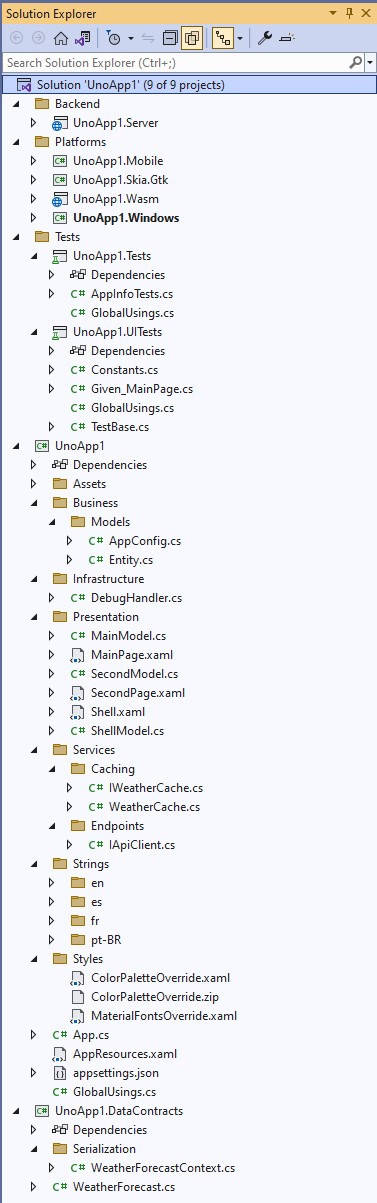
The generated project has the following structure:
Customization
The Customize button lets you customize the selected template and fine-tune which features should be included with the generated project.
When clicking Customize, a wizard opens with the pre-selected settings per the choice on the first page (Blank or Default).
Note
When the project opens for the first time, a popup may show up asking to Reload the projects, this is normal.
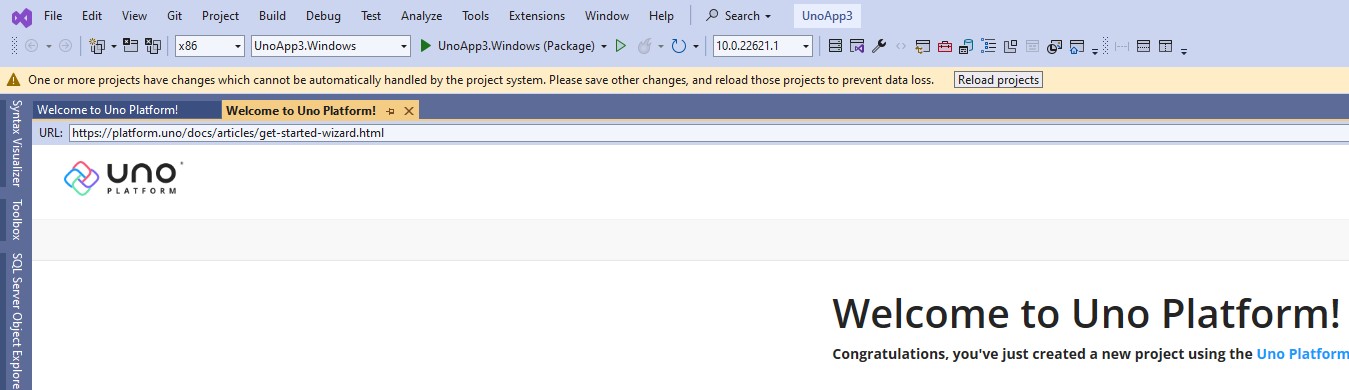
Project configuration wizard
Throughout the wizard, you can configure the following options, but you can click Create at any time to complete the project generation.
Clicking Cancel returns to the main page.
- Framework
- Platforms
- Presentation
- Markup
- Theme
- Extensions
- Features
- Authentication
- Application
- Testing
- CI Pipeline
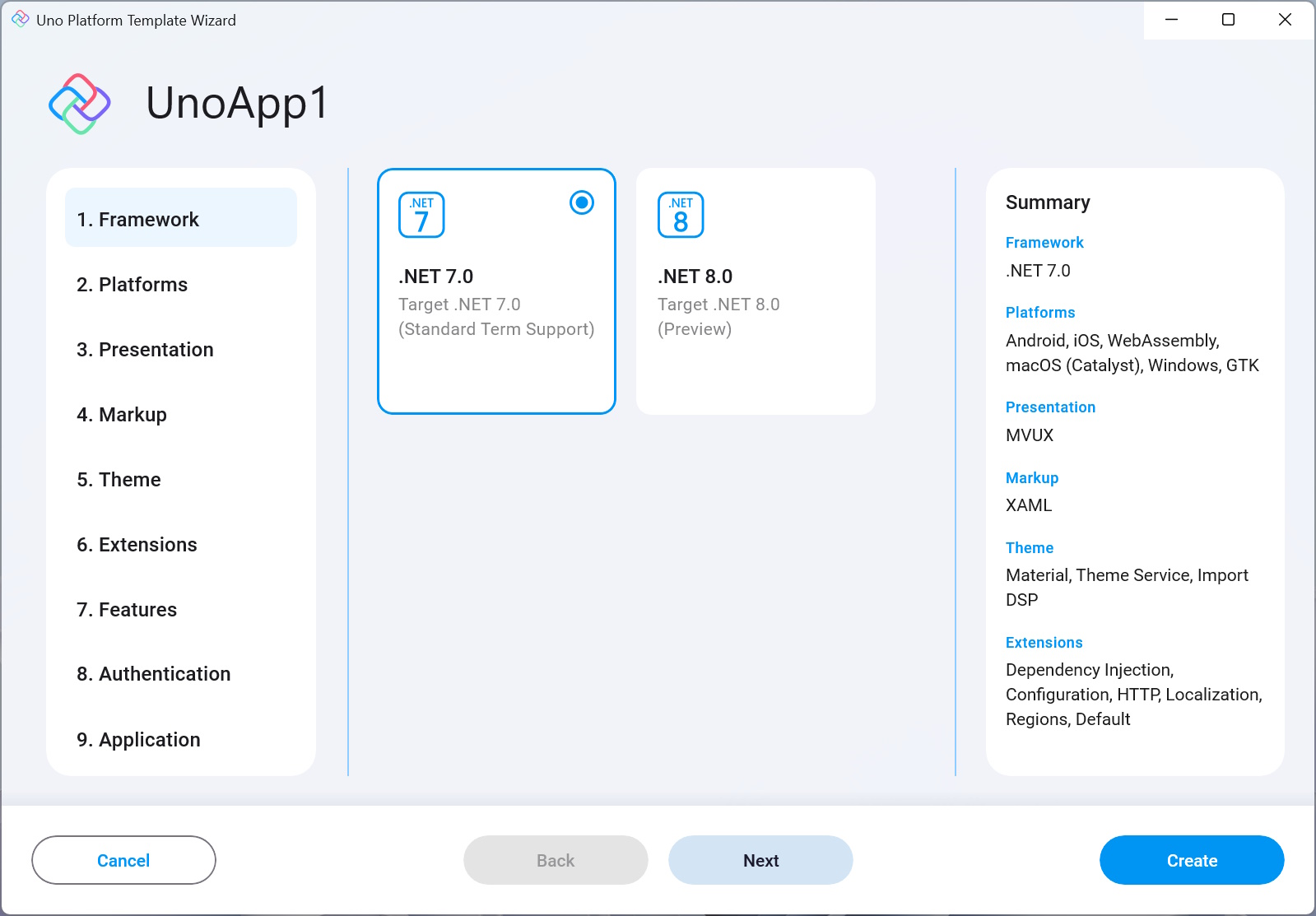
1. Framework
This setting lets you choose the .NET version to target. The default is .NET 7.0, but you can change it to .NET 8.0 (preview)!
- .NET 7 is provided as an STS (Standard Term Support) version, this is the most recent release and has introduced a myriad of improvements in performance especially for mobile, as well as other aspects and is the current recommended .NET version.
- .NET 8 adds further performance improvements as well as other general enhancements.
2. Platforms
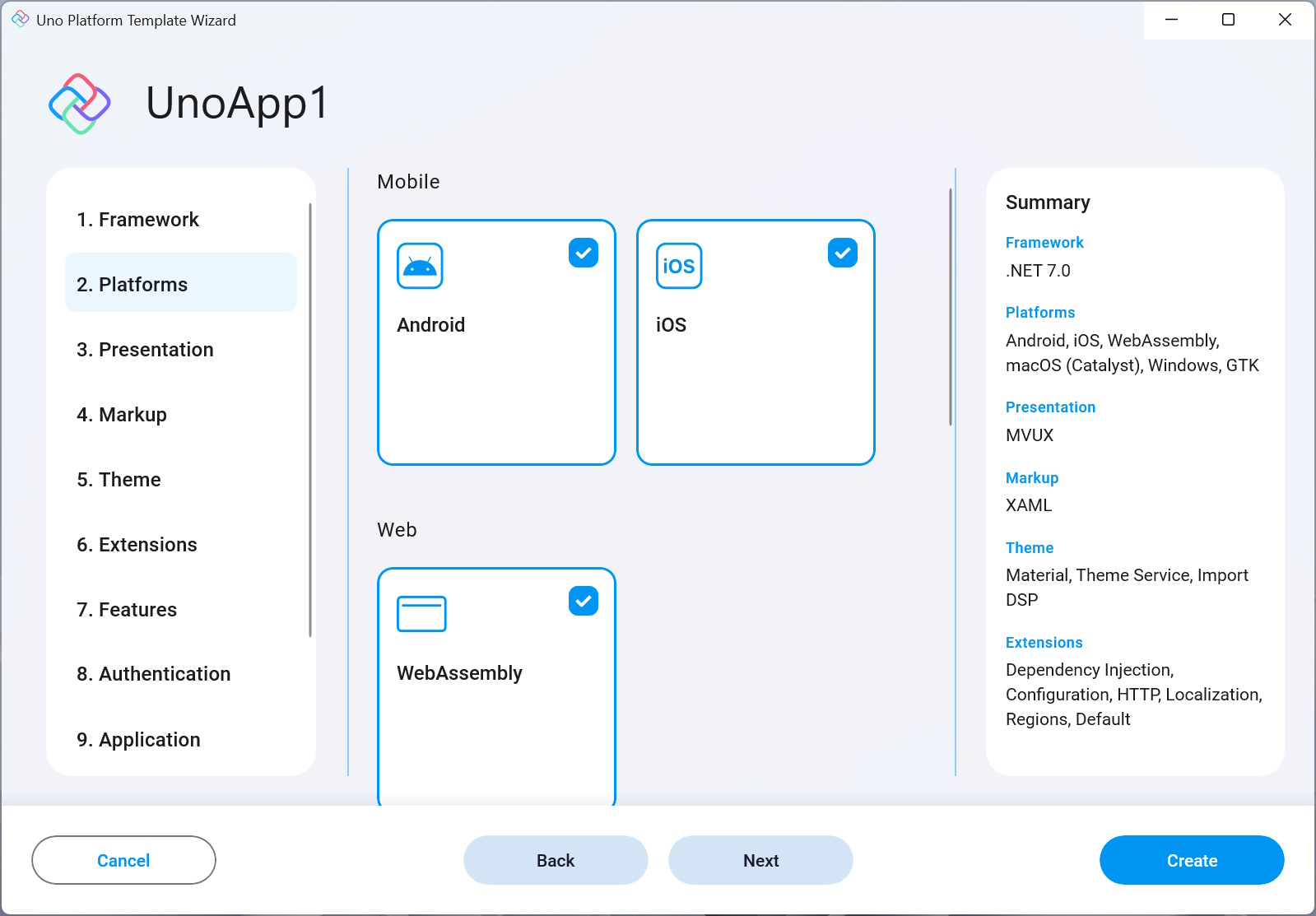
This setting lets you choose which platforms the generated app will target.
Uno Platform currently supports targeting the following operating systems:
- Mobile
- Android
- iOS
- Web
- WebAssembly (WASM)
- Desktop
- macOS (Catalyst)
- Windows
- GTK
- WPF
- Linux Framebuffer
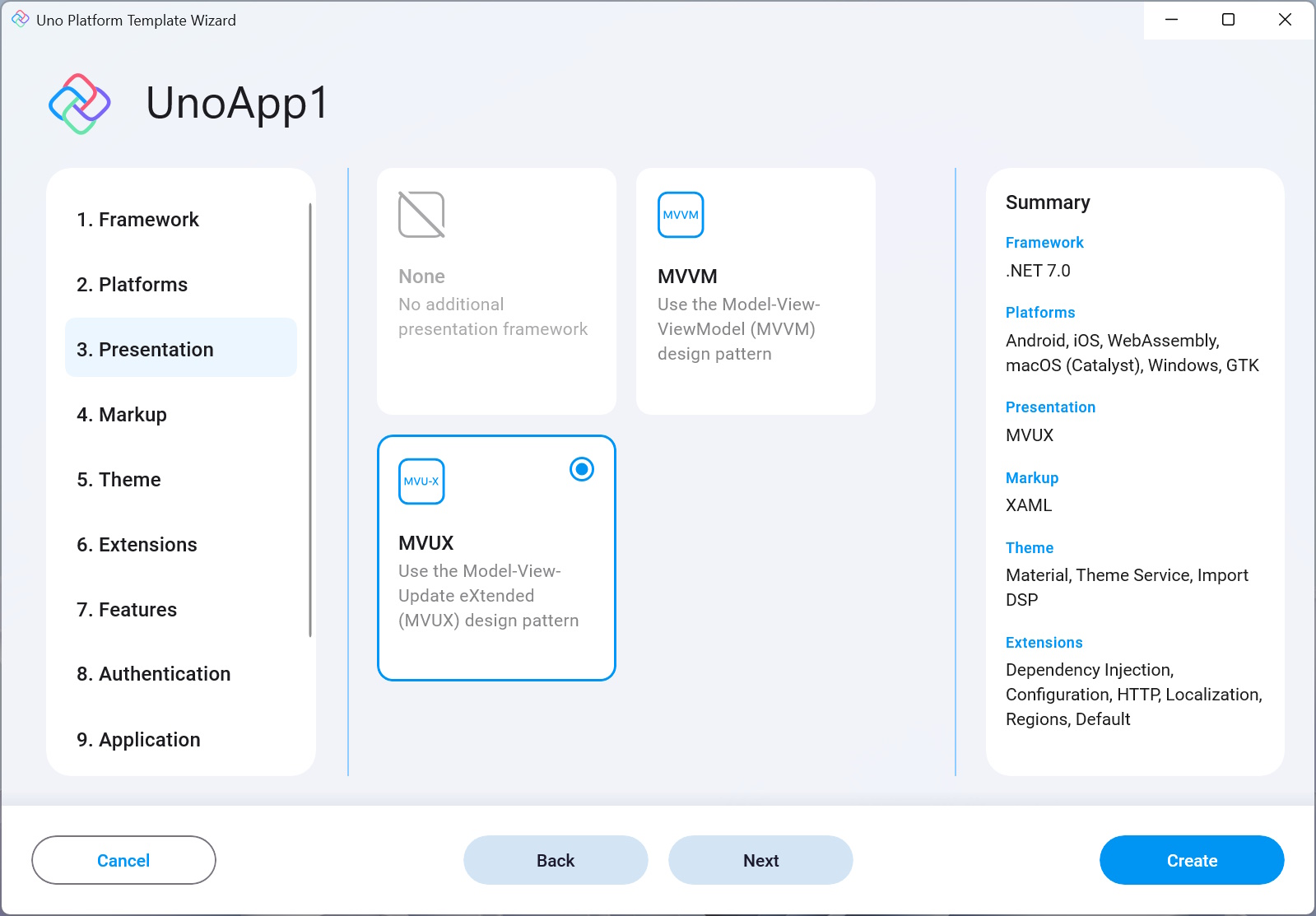
3. Presentation
This setting allows you to choose a presentation architecture.
None
Generates a project without any presentation architecture installed.
MVVM
Generates a project optimized for use with the traditional MVVM architecture, using Microsoft's MVVM Community Toolkit.
MVUX
The Model View Update eXtended (MVUX) pattern is a new programming architecture by Uno Platform. Its main feature is enabling the use of immutable POCO entities and Models (using records) as the presentation layer, making the whole need for implementing property change notification redundant. This is achieved using Uno Platform's powerful code-generation engine to introduce proxy models that adapt the models to bindable proxy types that react upon changes in the UI side by recreating the Model.
It also introduces Feeds and States, two utilities that are used to maintain asynchronous data requests to the service, Feeds only keep the data as received from the service, while States are also used to store their current state according to updates made in the View. These two utilities wrap the data around with a metadata layer that discloses information about the current state of the request, whether it's still in progress, if an error occurred, if no data was returned, and also supports tracking data-selection and pagination as well as other features. These tools also support collection data using theListFeedandListState.
On top of that, there is also theFeedViewcontrol which is built to consume this metadata and adapts the View according to the current state of the Model.
The code-generation engine also makes it easier to write commands to be consumed by the View, see Commands.To learn more about the MVUX pattern, read this.
4. Markup
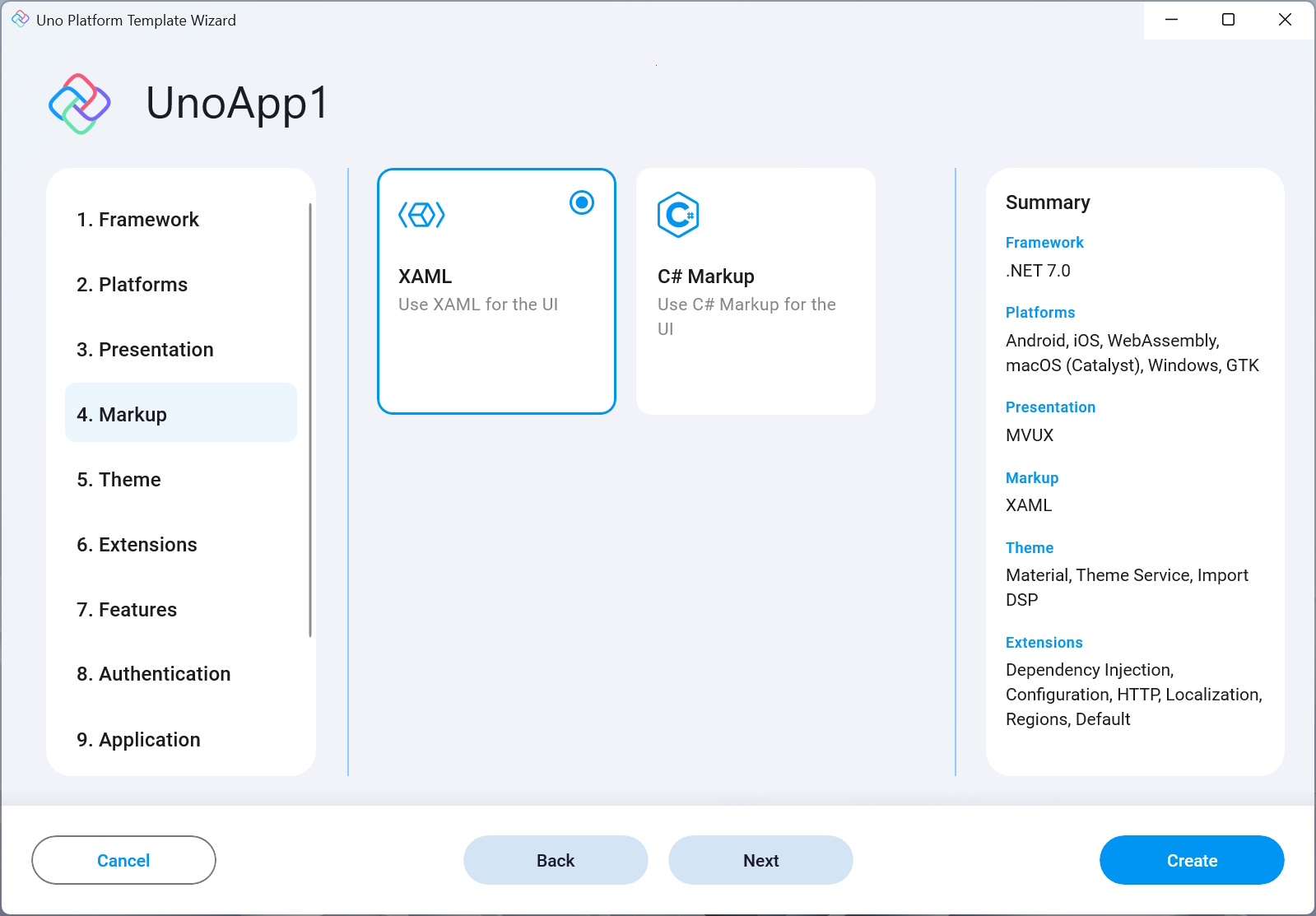
This setting allows you to choose the markup to use for declaring the UI of the application.
XAML
Use XAML for the declaration of UI.
C# Markup
Use C# Markup for the declaration of UI.
5. Theme
Uno platform lets you decide easily which theme or skin to display throughout your app.
This option sets the generated theme or skin to be used in the generated app. The options available are:
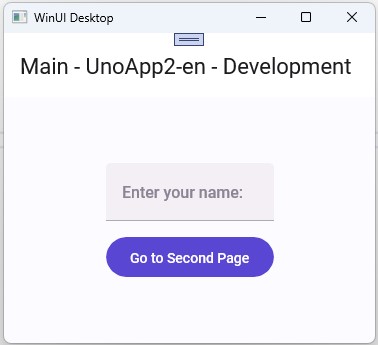
Material
Material is Google's design system.
Learn more about Material.The generated project will have the material theme applied:
Fluent
Fluent is an open-source design system that drives Windows and WinUI's default style.
Learn more about Fluent Design System.
The Uno Platform Template Wizard uses the Material theme.
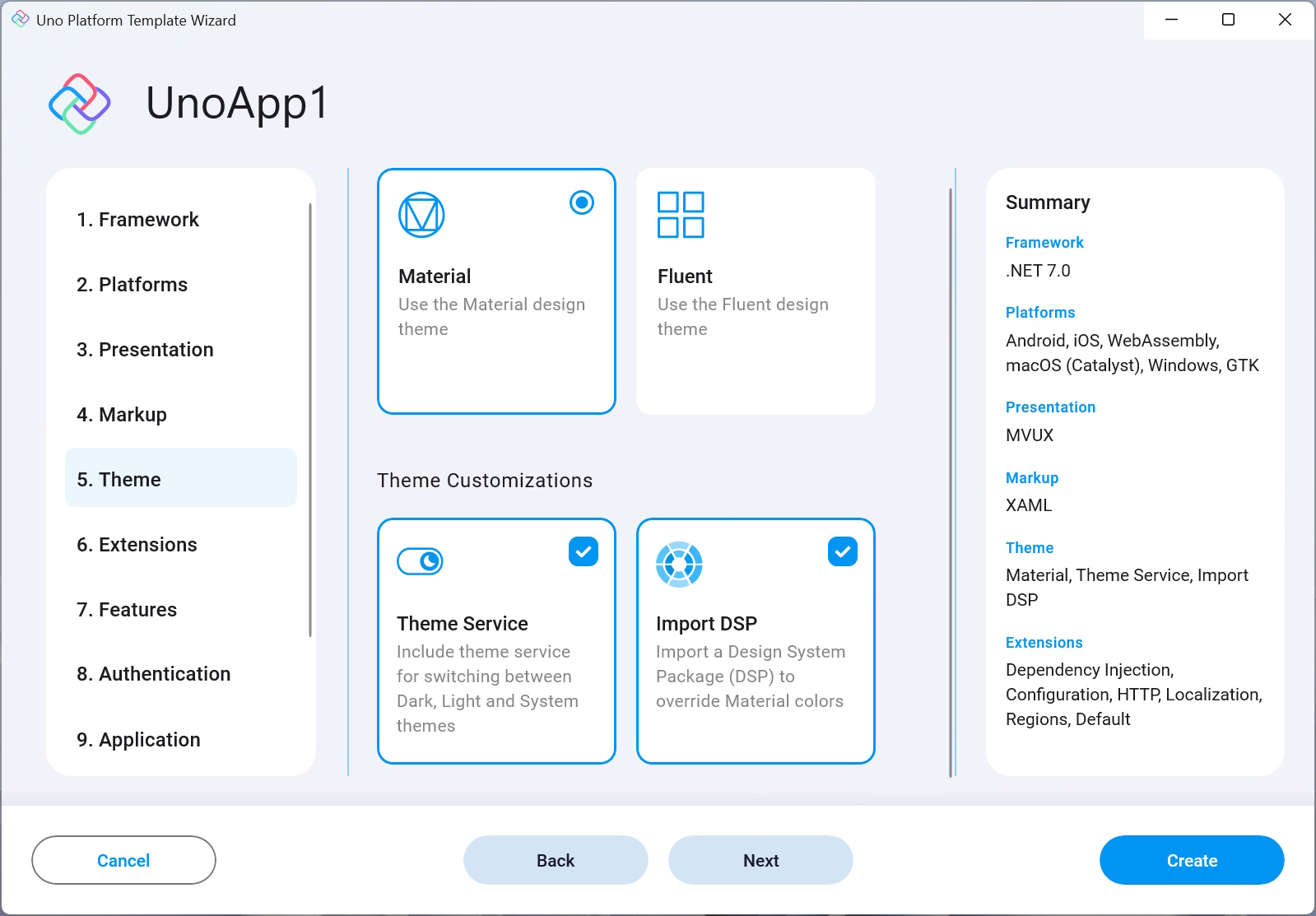
The theme in the application can be further customized with the following options:
Theme Service
Includes references to the Uno.Extensions.Core.WinUI package which includes the theme service that can be used to control the theme (Dark, Light or System) of the application.Import DSP
Allows colors in the application to be overridden using a DSP file (Material theme only).
6. Extensions
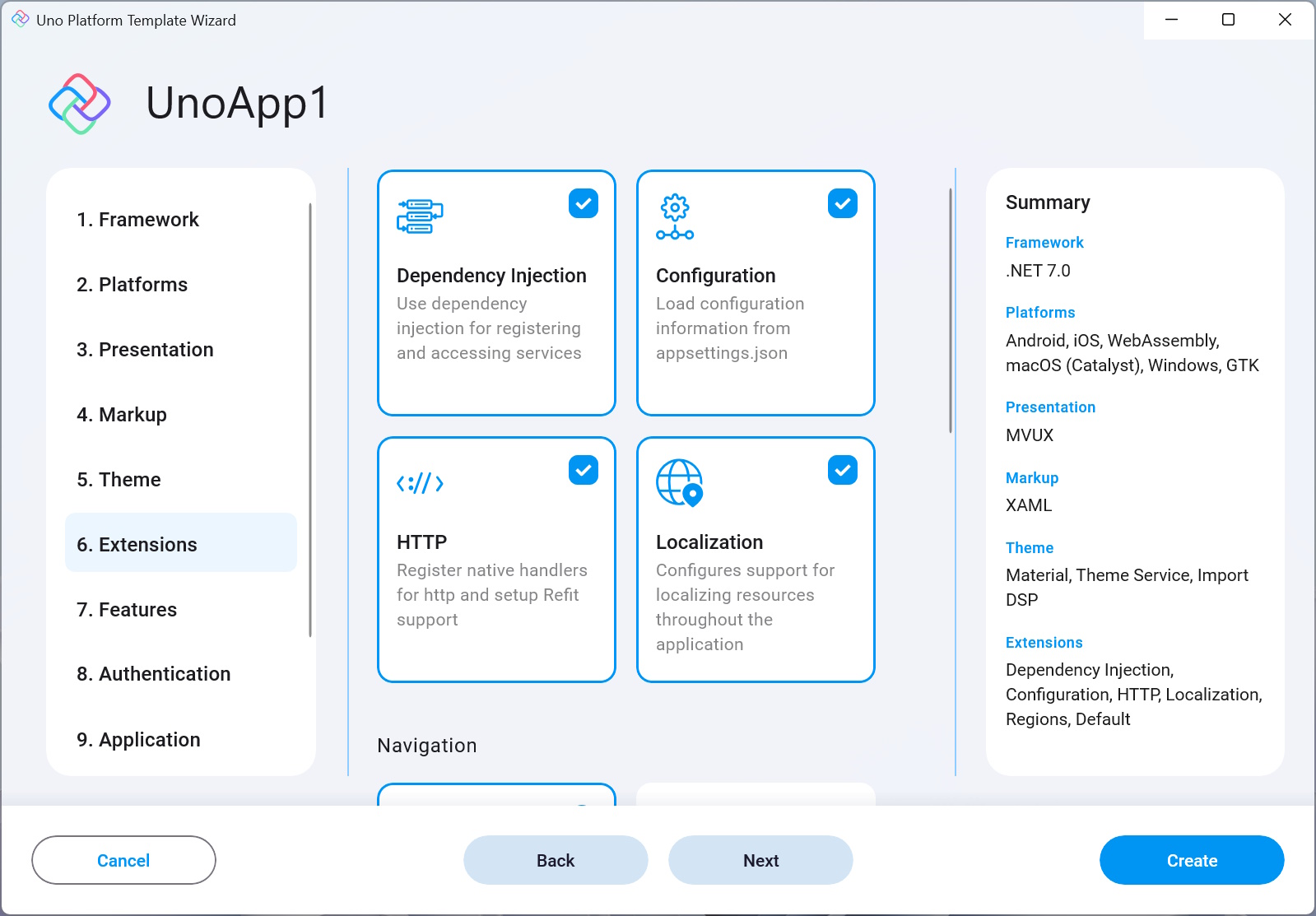
The settings on the Extensions page let you configure which Uno Extensions should be added to the solution and projects generated by the wizard.
Uno Extensions is a set of Extensions that cover common essentials application core building blocks and are supported on all operating systems Uno Platform targets.
Uno.Extensions follow the Microsoft.Extensions model that creates a host environment where you can register additional dependencies. The registered dependencies are then available throughout the application via the Services (IServiceProvider) property on the IHost instance.
App hosting
Hosting (IHost) keeps the central entry point of the app and encapsulates its core building blocks, such as DI, Logging, as well as controlling its state and shutdown.
Read more about Hosting here.
To learn more about Uno Extensions, visit this page.
The available extensions are:
General
Dependency Injection
Dependency Injection (DI) is an Inversion of Control (IoC) technique that enables consuming classes not to worry about the management or creation of their dependencies and instead rely on a central service to provide it when needed, based on how the provider was configured.
Uno Platform brings the power of Microsoft Extensions Dependency Injection to all OSs Uno Platform targets and adds its additional functionality via its Uno.Extensions.DependencyInjection library, which you can learn more about here.Note
Some other features (e.g. Configuration, Http, Authentication as well as others) depend on DI and will be disabled if DI is not enabled.
Configuration
This extension provides a way to load application configuration data from and to various sources using the Options Pattern. Refer to the Uno Configuration documentation for more information.
HTTP
Uno.Extensions.Http allows for the registration of API endpoints as multiple typed HttpClient instances. In this centralized location for accessing web resources, the lifecycle of the corresponding HttpMessageHandler objects is managed. Added clients can optionally be configured to use the platform-native handler. Additional functionality is provided to clear cookies or log diagnostic messages in responses. This library uses Microsoft.Extensions.Http for any HTTP-related work. For more documentation on HTTP requests, read the documentation.
Another related package installed when the Http option is selected is Refit. This is a port of the Refit library that enables mapping REST APIs into .NET interfaces. Refer to the documentation to learn how to use it in an Uno Platform app.
Localization
The Localization extension is responsible for managing globalization in your app.
This enables keeping all translations of your app in a single place and enables the user to easily switch the UI language.The generated app contains resw files which can be used to define the application strings. The defined languages are configured in appsettings.json. Follow this link to learn how to switch the UI culture.
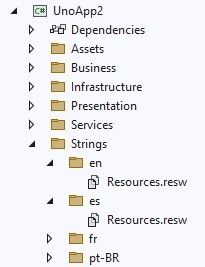
The default settings come with the following pre-set languages: English (en), Spanish (es), French (fr), and Portuguese - Brazil (pt-BR).
Uno.Extensions.Localization expands Microsoft.Extensions.Localization to all OSs supported by Uno Platform.
Read the full Localization documentation here or learn more about Globalization.
Navigation
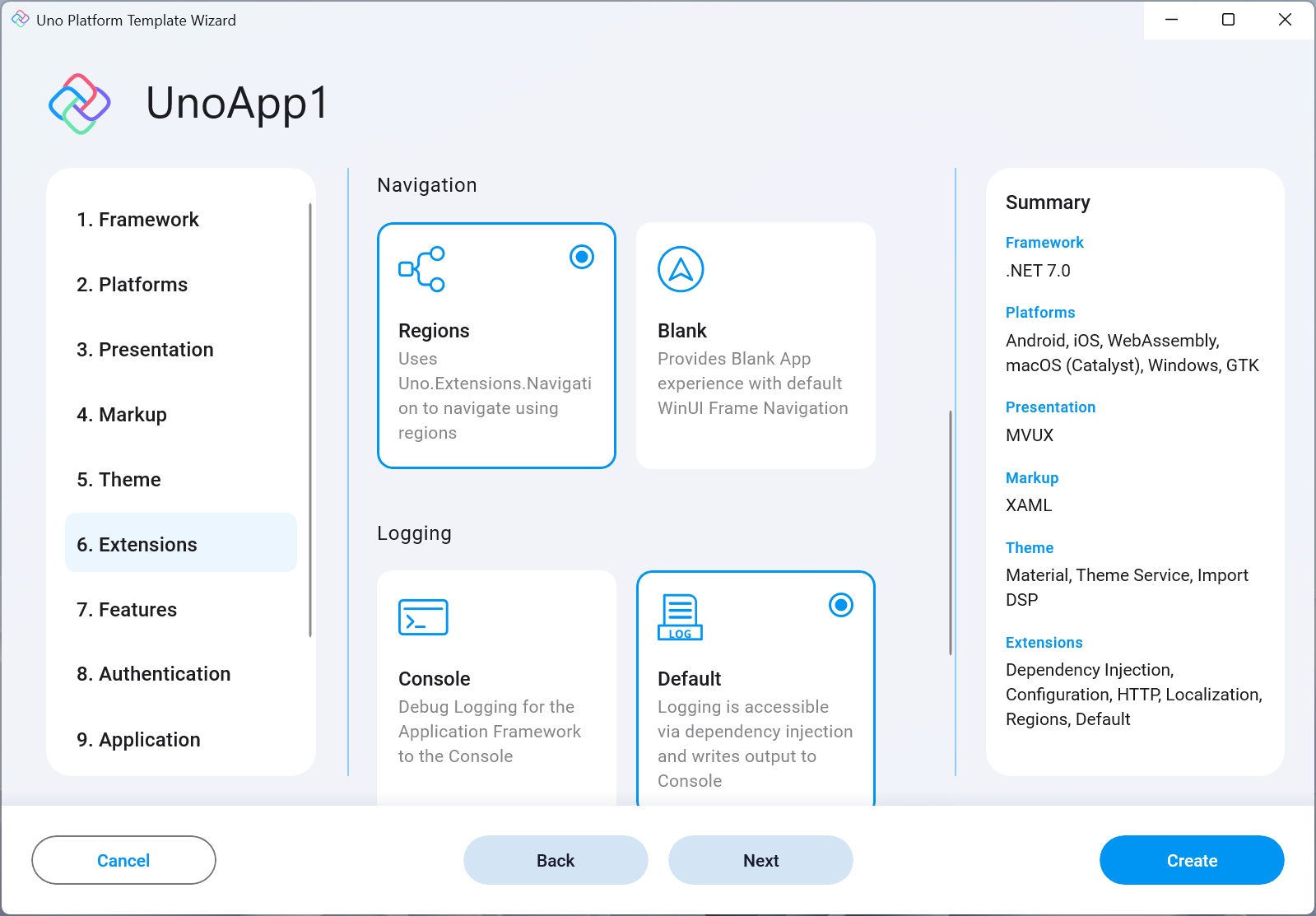
Regions
Navigation is an integral part of any app and for that, Uno Platform has developed a navigation system that is registered and served using DI and is fully integrated with the navigation-specific UI controls out there, such as
Frame,NavigationView, andTabBar.
It is a region-based navigation. A Region is the abstraction of the view responsible for handling navigation. Regions are structured into a logical hierarchical representation that shadows the navigation-aware controls in the visual hierarchy. The hierarchy allows navigation requests to be propagated up to the parent and down to child regions as required.
This library is also responsible for showing pop-ups, flyouts, dialogs, and other interactions with the user.
Learn more about Uno's Navigation library here.Blank
Provides the default WinUI frame navigation.
Logging
Logging is a crucial component in an app that enables the developer to emit log messages whenever an important action or execution is taken by the app. This then lets you trace back any errors or issues that may arise in the future. There are several Logging tools out there, with one of the most common of them being Microsoft.Extensions.Logging.
Uno Platform provides its Uno.Extensions.Logging to bring Logging to all platforms it supports.Uno.Extensions.Logging is covered in more detail here.
Console
Generates an app configured to write debug-level logging information to the Console.
Default
Generates an app that uses Dependency Injection to configure logging that writes output to Console.
Serilog
Generates an app that uses Dependency Injection to configure logging with Serilog.
Refer to the Logging documentation for more information.

7. Features
Toolkit
Installs the Uno.Toolkit package in the project, this package adds a set of custom controls, behaviors, extensions and other utilities to Uno Platform projects that are not offered out-of-the-box by WinUI.
This includesCard,TabBar,NavigationBarand others.Tip
The Uno Toolkit is demonstrated as a live web app here. It is also available as an iOS or Android app.
The Gallery app is open-source and is available on GitHub..NET MAUI Embedding
Adds support for embedding .NET MAUI controls and third party libraries into an application.Server
Adds an ASP.NET Core Server project to the solution, which hosts the WASM project, and can also be used to create an API and endpoints. It can also be used as the data server and you can also choose to implement the authentication server code in it.PWA Manifest
Includes a PWA (Progressive Web Apps) manifest that enables easy installation of the WASM web-target as an app in the running device.Note
As this is a WASM feature it will be disabled if WASM is not selected as one of the output target platforms.
Visual Studio Code debugging
Enables Uno Platform debugging in Visual Studio Code.Central Package Management This option enables Central Package Management in the generated Uno Platform solution.
It adds a Directory.Packages.props file which enables configuring the dependencies of all projects instead of configuring them in each .csproj file individually, which is more complex and tedious.

8. Authentication
Adds Uno Platform's Custom Authentication support to the generated project.
Using Uno's authentication tools you can easily integrate in your app a login screen and authenticate users. It also helps you manage and track the state of the app's authentication, by allowing you to log out or switch users as well as other authentication-related actions.
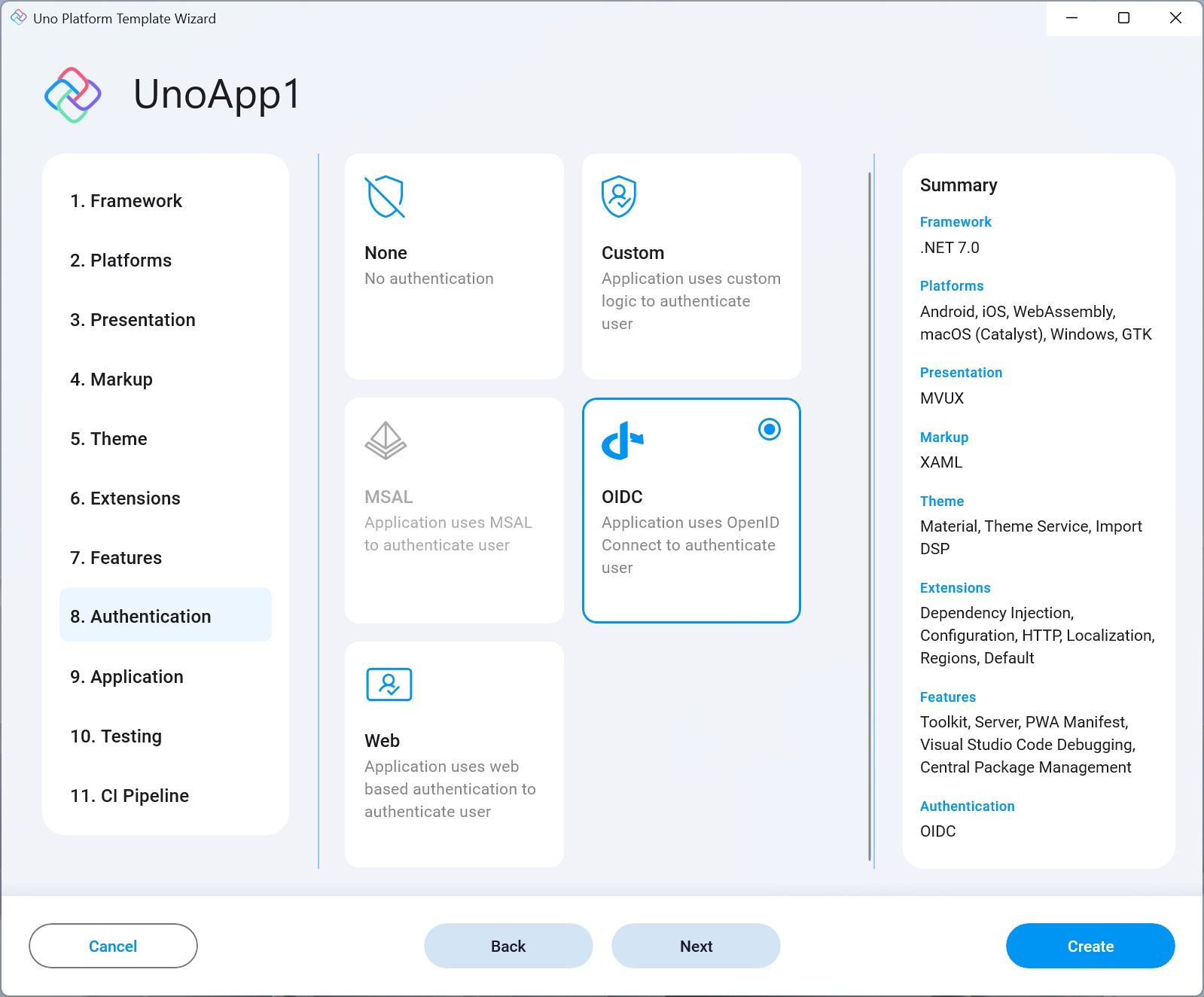
Uno.Extensions.Authentication currently supports these types of authentication:
None
No authentication added to the application.Custom Provides a customized login experience for performing login, refresh, or logout. This is also the authentication type that is generated with the project template when Custom Authentication is selected. The other types are not supported yet at the moment but they're on the roadmap and will come to the wizard soon.
MSAL MSAL (formerly AzureAD) stands for Microsoft Authentication Library, is part of the Microsoft Identity Platform and enables acquiring authentication tokens and access of protected APIs using OAuth2 and OpenID.
OIDC Also referred to as OpenID Connect, is a simple identity layer using the OAuth 2.0 protocol.
Web Web authentication is achieved via a web page that the app sends over to be opened in the browser and gets a token result once the login process is completed successfully.
Read the Authentication documentation to get more knowledge about Uno Platform's authentication support and the tools it provides.
Note
The Authentication option is selected by default in the Default template, and not in the Blank one. This option is dependent on the DependencyInjection option and is only shown if the latter is enabled.
9. Application
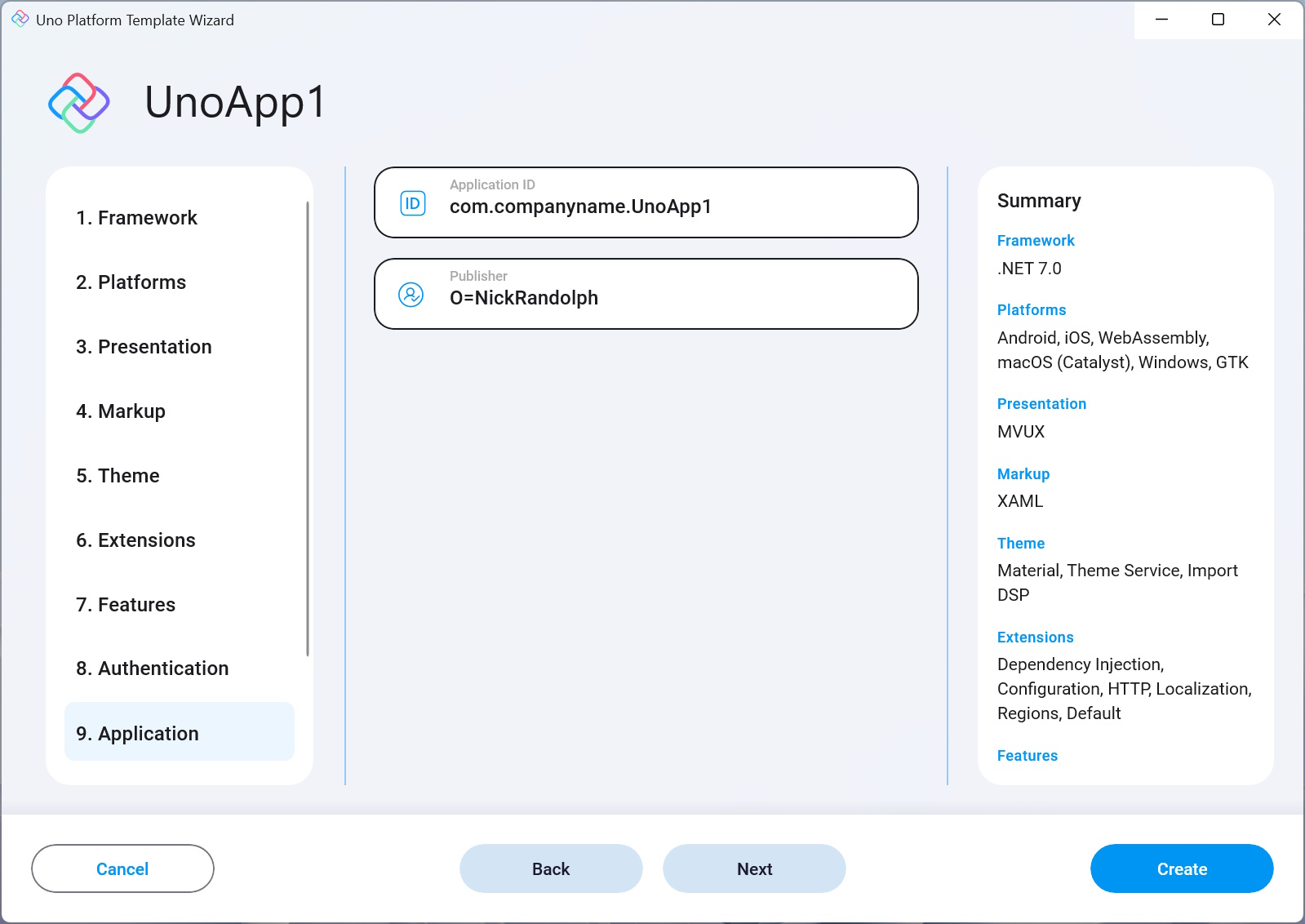
Application ID Sets the iOS/macOS application Bundle ID to be used in the App Store.
The Application ID is also used as the Win App SDK Application ID setting for the app.Publisher This sets the Publisher name in the Win App SDK settings.
10. Testing
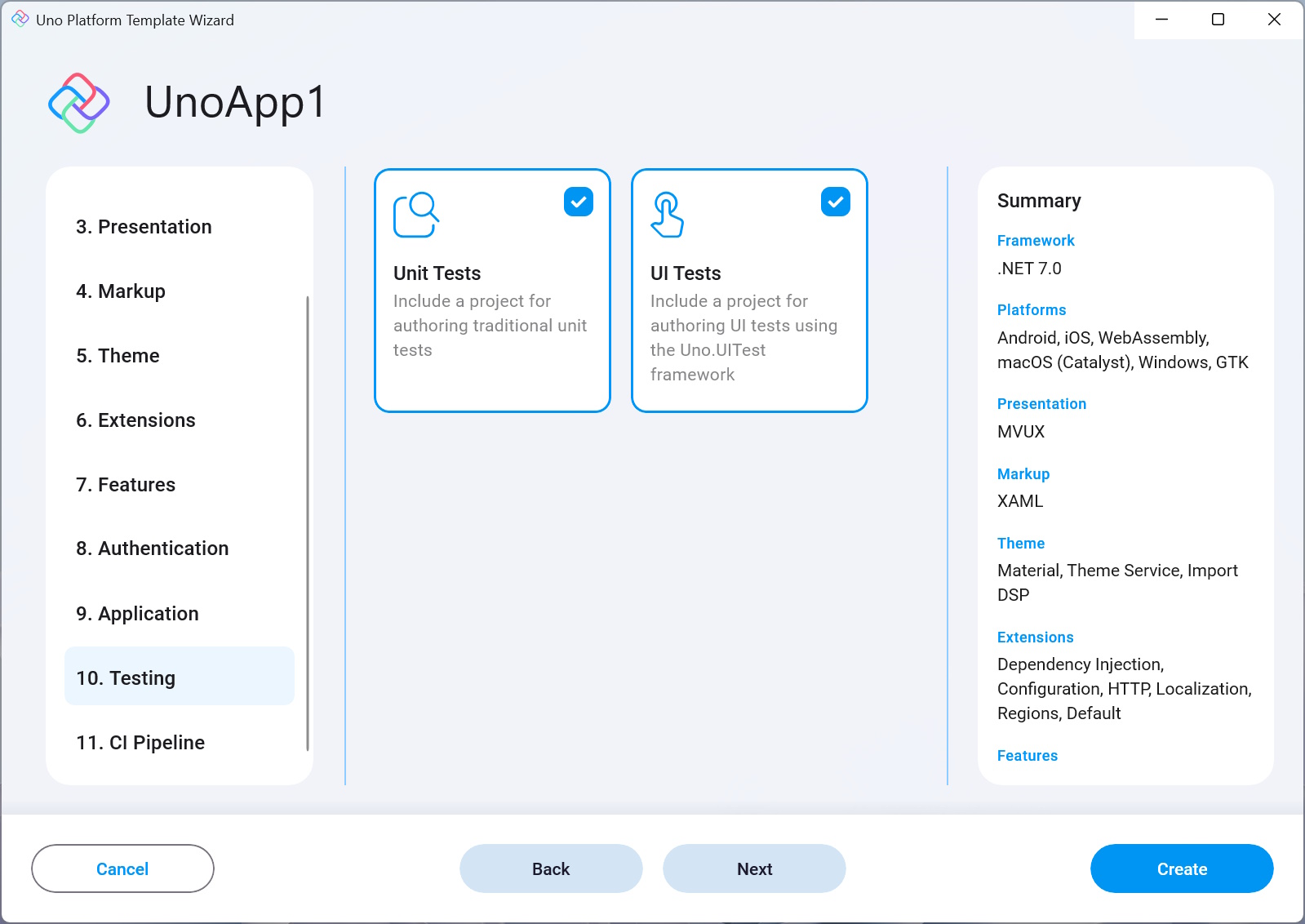
Unit tests
Adds an NUnit test project that targets the main (shared) head project.
The project also comes with FluentAssertions pre-installed.UI tests
Adds an NUnit-powered test app that provides UI testing capabilities using Uno Platform's UI testing tools (Uno.UITest).
To learn more about UI Testing in Uno Platform apps, read this.
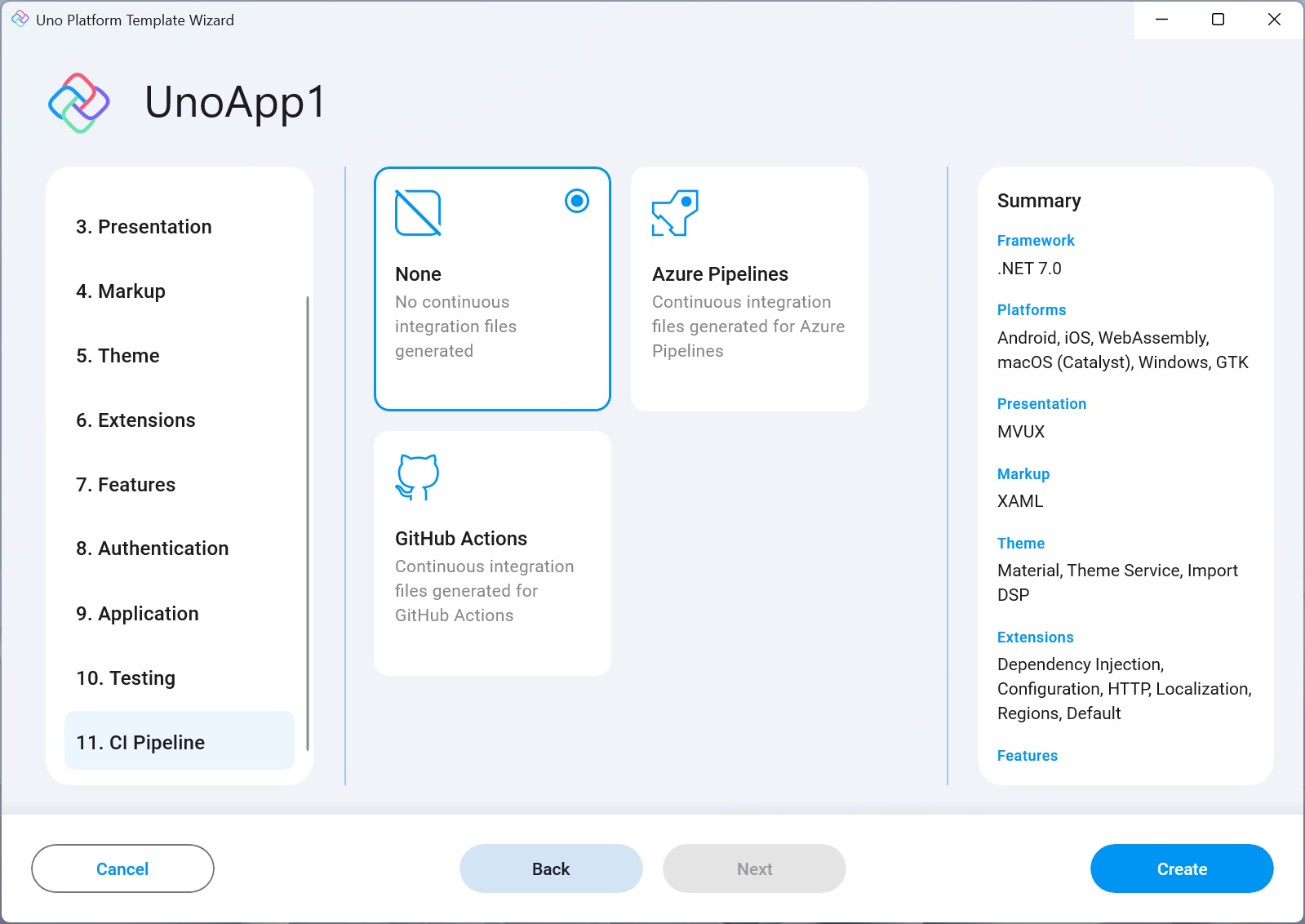
11. CI Pipeline
None
No CI pipeline will be created.Azure Pipelines
Adds a YAML file that can be used to create a CI pipeline in Azure Pipelines.GitHub Action
Adds a YAML file that can be used to create a CI pipeline in GitHub Actions.